Setting employee(s) privilege in BC Time
Setting up employee(s) privilege in BC Time
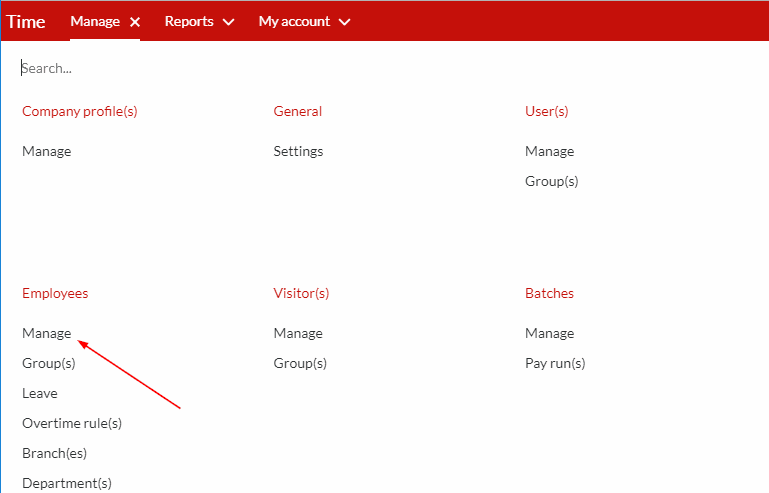
Step 1. Once logged into BC Time, go to Manage and click on Manage under Employees.
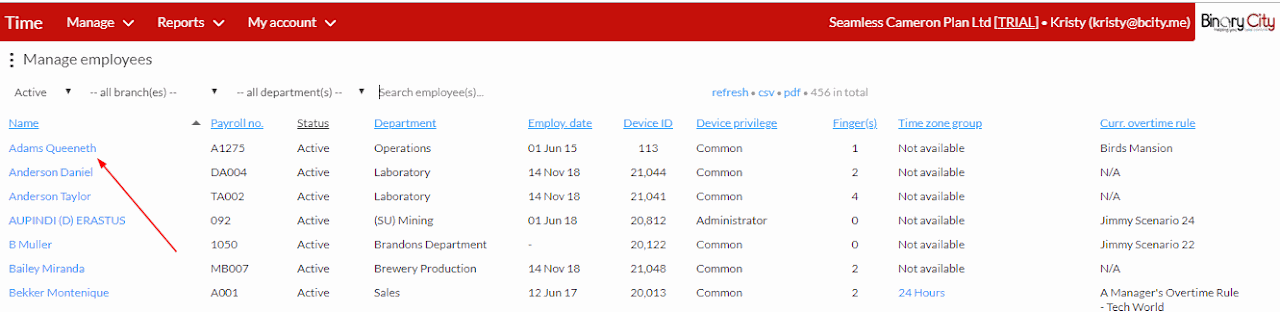
Step 2. Then click on the the employee name whose privilege you wish to change or whom you wish to give privilege to.
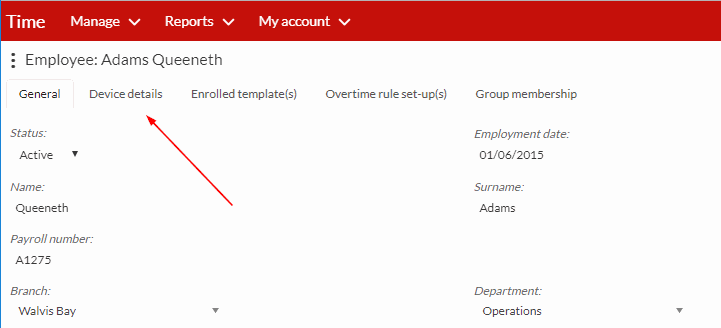
Step 3. Click on device details as indicated by the arrow below.
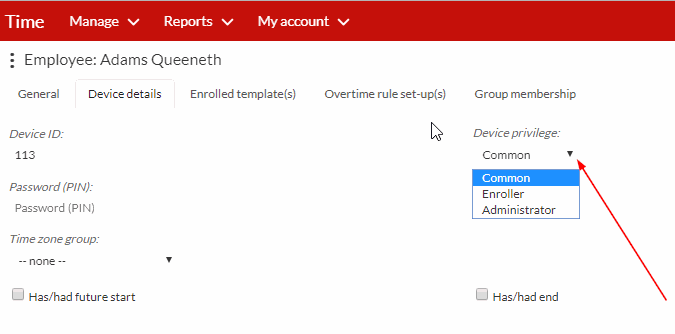
Step 4. Click on device privileges, and on the drop down you can then select the privilege (Common, Enroller or administrator) you wish to give to the employee.
Classificação
0
0
Nenhum comentário até agora.
Adira a este Curso
para ser o primeiro a deixar um comentário.