Duplicating Overtime Rule(s) & Shift(s)
Duplicating overtime rule(s) and shift(s) is now possible in BC Time.
This becomes useful in scenarios where a user might require a similar rule with minor changes instead of re-creating the entire rule from the ground up. Duplicating an overtime rule or shift creates a mirror copy of the initial rule and shifts with its setup allowing the user the freedom to seamlessly setup different rules for various shifts.
Duplicating an overtime rule
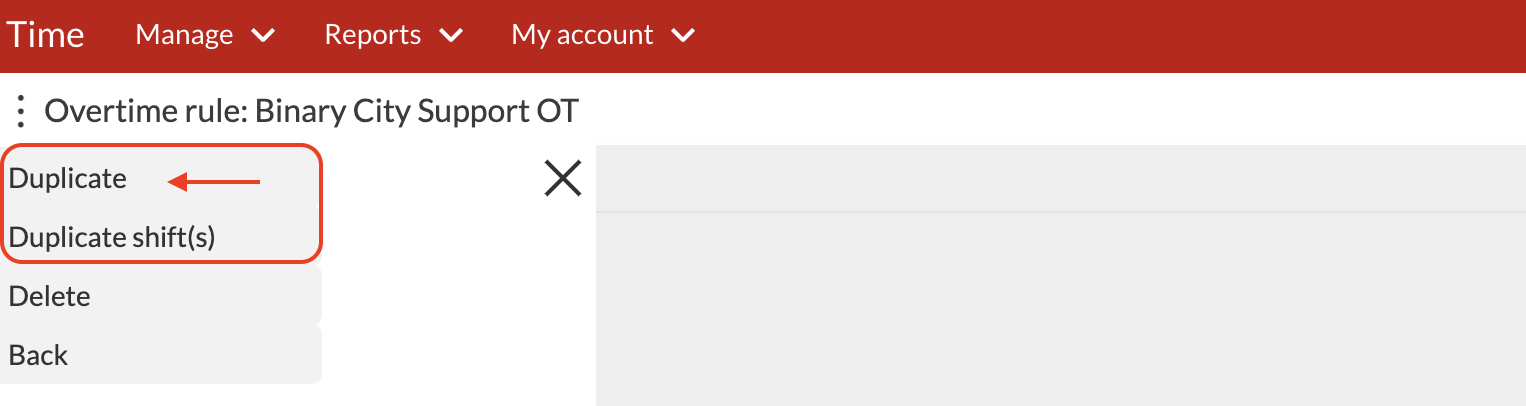
Step 1. Select the rule you wish to duplicate and click the ellipses button next to the overtime rule and the below window will appear with an option to duplicate.
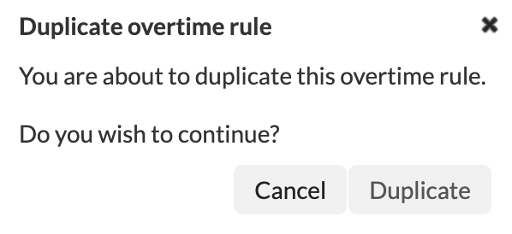
Step 2. Once you've selected to duplicate, the below pop-up window will appear requesting confirmation to duplicate or cancel.
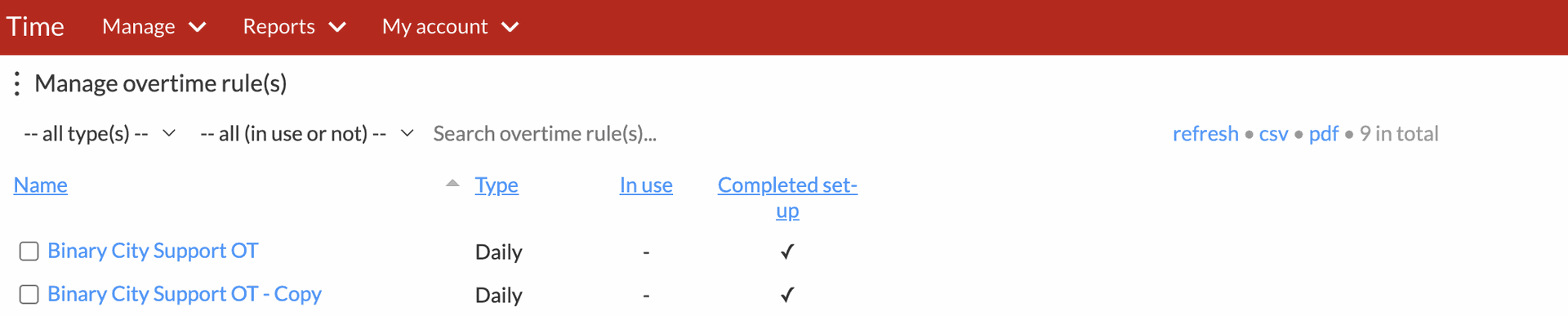
Duplicate: Will enable the user to make a copy of the selected overtime rule. In our example below, a copy of Binary City Support OT was created and indicated as a copy.
Duplicating shift(s)
Shift(s) created in an overtime rule can be duplicated in order to assign them to an employee or group of employees.
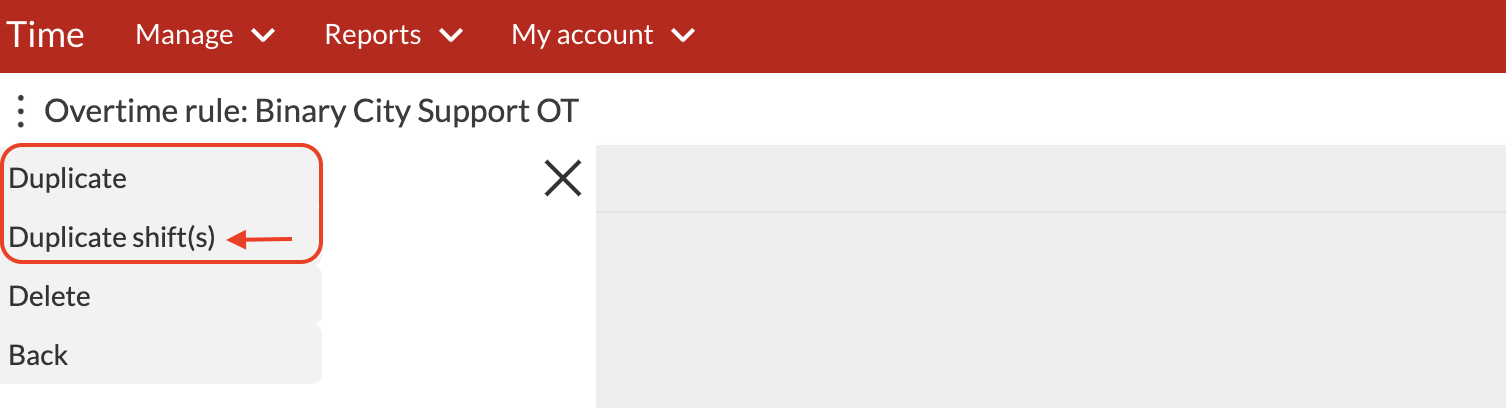
Step 1. Select the overtime rule and click the ellipses button next to the overtime rule and the below window will appear with an option to duplicate shift(s).
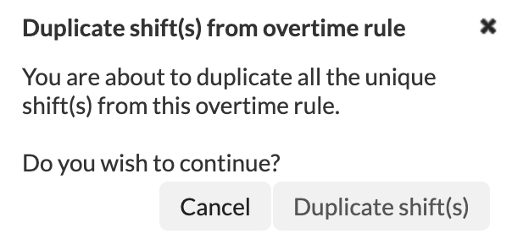
Step 2. Once you've selected to duplicate shift(s), the below pop-up window will appear requesting confirmation to duplicate shift(s) or cancel.
 \
\
When duplicating a shift, BC Time will notify the user that you are about to duplicate all the unique shift(s) from the selected overtime rule(s) and require confirmation to proceed.
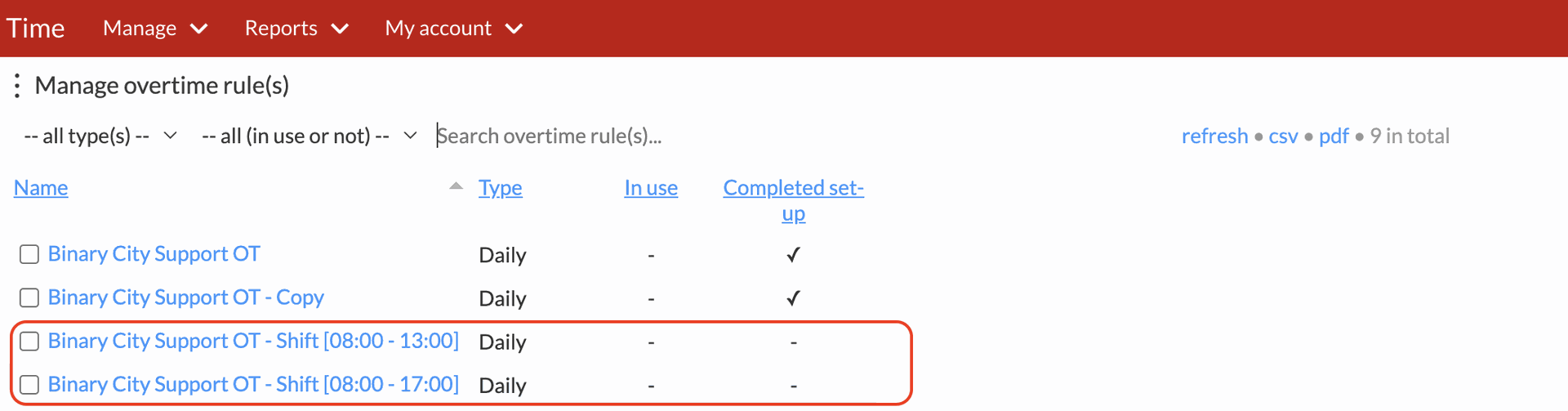
Duplicate shift(s): This will enable the user to create a copy of the shifts that have been created within a specified rule. In our example below, the shift (08:00 - 13:00 & 08:00 - 17:00) was created as a copy from shifts originally set up under the overtime rule Binary City Support OT.
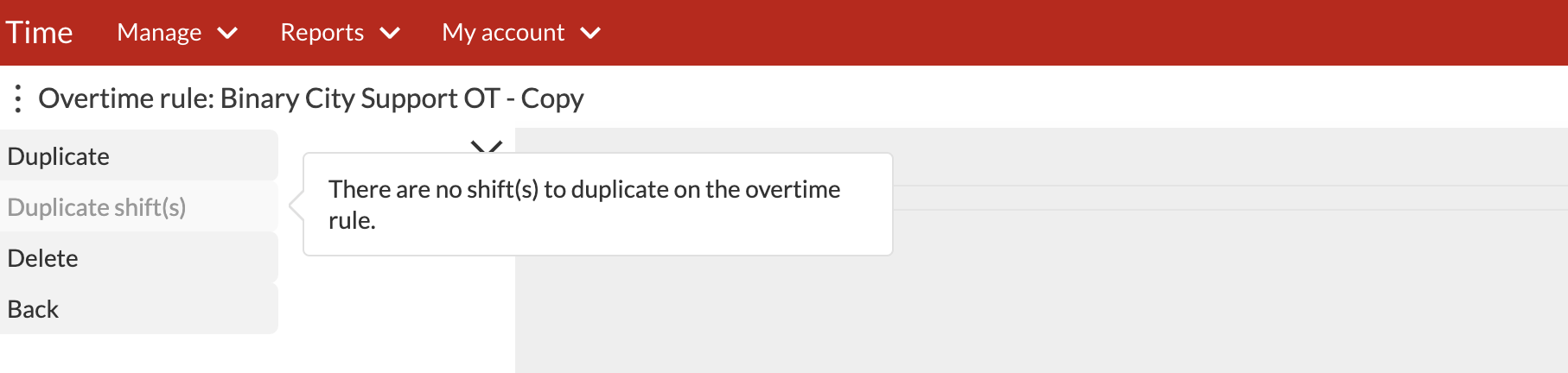
There is logic in the system that if no shifts exist then the duplicate shifts tab will be greyed out as indicated in the below view, with a pop-up advising that "There are no shift(s) to duplicate on the overtime rule":
Nenhum comentário até agora.
para ser o primeiro a deixar um comentário.